
Your Wi-Fi “covers everywhere”, so why do calls still drop? A survey, explained
Full bars on the phone, and the video call still freezes. The difference between coverage and capacity, and what a proper wireless survey actually measures, explained without radio jargon.
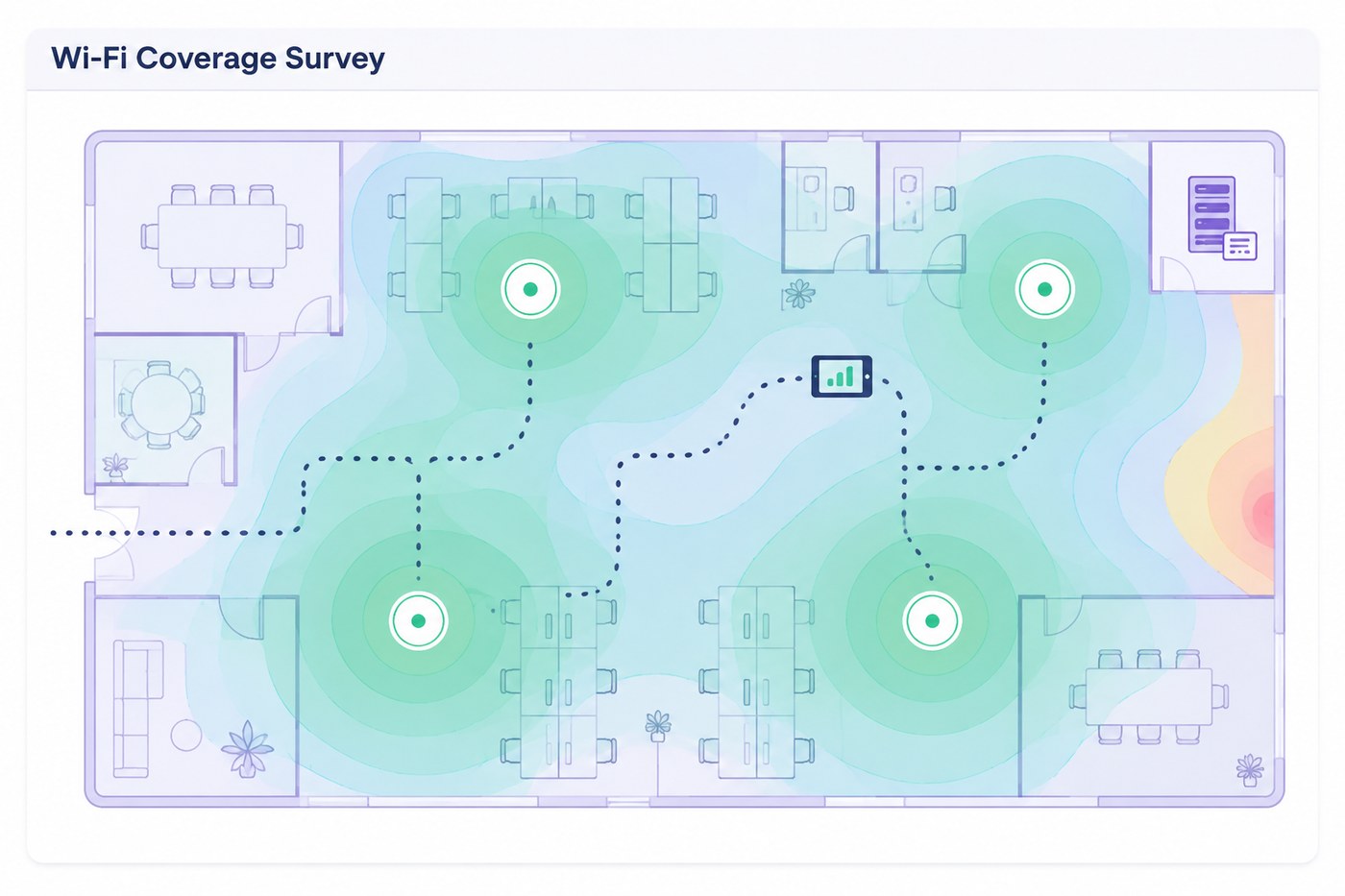
The most common Wi-Fi complaint we hear is also the most confusing one for owners: “the signal shows full bars, but calls keep dropping.” The confusion comes from measuring the wrong thing. Bars show coverage. Calls need capacity, stability and clean airtime, three things bars do not show at all.
Coverage is not capacity
An access point can reach a meeting room and still fail it. Twelve laptops, eight phones and a TV all share one radio’s airtime; add a neighbour’s network on the same channel and everyone’s share shrinks again. The room has “signal”, and no room to speak. That is why the complaint is always about calls and screen-sharing first: they are the first victims of congestion, not of weak signal.
What a predictive survey does
Before an office is built, a predictive survey takes the floor plan, wall materials and expected headcount, and models where access points should go, on which channels and at what power. It is how you avoid the classic fit-out result: APs placed where ceilings were convenient, all screaming on the same channel.
What an on-site survey adds
After deployment, or in an office that already hurts, an engineer walks the space with measurement tools and records what devices actually experience: signal, interference, channel overlap, roaming behaviour between APs. The output is the heatmap image you have probably seen: green where things work, amber where they degrade, red where the meeting room freezes. From that map, fixes are usually cheap: repositioning, channel and power planning, adding one AP, not ripping everything out.
The usual suspects we find
The same handful of causes explains most bad offices: all APs on maximum power (they drown each other out), everything on autochannel fighting the neighbours, one AP serving three rooms through two concrete walls, guests and staff on one congested network, and a meeting room where the TV, not the wall, blocks the AP. None of these shows up in “bars”. All of them show up in a survey.
When to order one
Three moments: before any fit-out (predictive, it costs a fraction of moving cables later), when complaints become weekly, and after any office change that added people or walls. A survey with a written report and a fix list ends the argument about whose laptop is to blame, because the map settles it. Its scope, its fee and the rest of the commercial terms are set out in the written proposal, once the space is understood.
How many access points does your floor actually need?
Coverage and capacity give different answers, and the larger one wins. This is the same arithmetic a predictive survey starts from, before the floor plan and the wall materials refine it.
A starting estimate, not a design. A real survey accounts for wall materials, ceiling height, neighbouring networks, roaming and the meeting rooms that always break the rule.
Start with a conversation
An initial consultation with a consultant rather than a salesperson, about your IT, security or systems question.